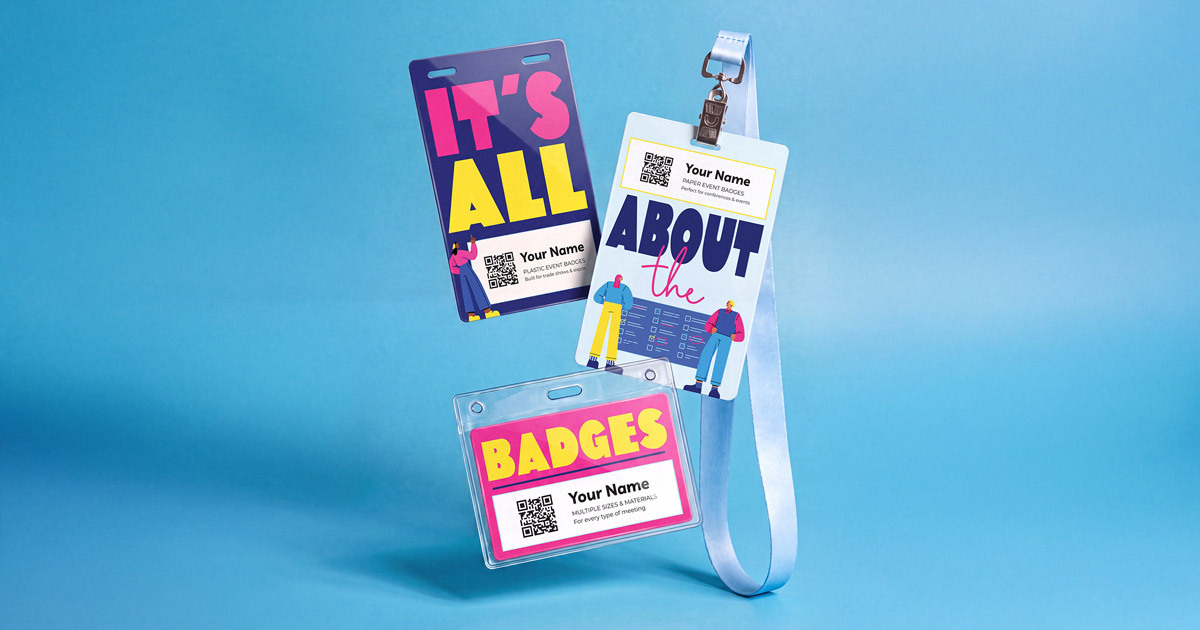
Variable data printing is how a single badge design turns into hundreds of personalized name badges, each with a different name, title, company, and QR code. Get the badge data file right and bulk name badges arrive ready to hand out. Get it wrong and you're fixing typos at the registration desk. Here's how variable data printing works and how to prepare a file that prints cleanly the first time.
What is variable data printing?
Variable data printing (VDP) combines two layers. The static layer is your badge design: logo, colors, event name, and any artwork that stays the same on every badge. The variable layer is the information that changes from badge to badge, pulled row by row from a spreadsheet. The printer merges the two so each badge comes out personalized.
Because Billy's Badges prints digitally, there are no printing plates to change between badges. Every badge in the run can carry different data without slowing production or adding setup cost.
Pre-printed names vs. printing on-site
You have two ways to get attendee names onto badges:
- Pre-printed names: Names and other details are printed before the badges ship. Check-in becomes a hand-off instead of a print job, which shortens lines and removes printer troubleshooting from your event day.
- On-site printing: You print names at the event using your own direct thermal printer and badge stock. This suits events with heavy walk-up registration or frequent last-minute changes.
Many events do both: pre-print names for everyone registered by the cutoff, then print walk-ins on-site. Our guide to pre-print, on-site, and hybrid badge printing covers when each approach makes sense, and direct thermal event badges explains the on-site option.
How to build your badge data file
Your badge data file is a spreadsheet with one row per attendee and one column per piece of information that appears on the badge. A few rules keep it print-ready:
- Match headers to the design: Each column header should match a field on your badge design, such as First Name or Company, so it's clear where every value goes.
- Use one column per printed line: If a job title or company name wraps to two lines on the badge, split it into two columns rather than relying on the text to wrap.
- Send Excel for special characters: Use an Excel file (.xlsx) whenever names include accents or symbols. A CSV works only if no name has special characters, since CSV files can drop or garble them. A UTF-16 encoded .txt file is another safe option.
- Include a design sample: Send a marked-up badge design showing where each field appears, plus any custom font files the design uses.
Here's what a typical badge data file looks like:
| Column header | Example | Notes |
|---|---|---|
| First Name | Maria | Use the name attendees prefer to be called, not always their legal name. |
| Last Name | Núñez | Special characters are why Excel is safer than CSV. |
| Job Title | Director of Events | Split into two columns if it prints on two lines. |
| Company | Northshore Health | Standardize spellings so one company doesn't appear three ways. |
| Badge Type | Speaker | Useful when different ticket types get different badge treatments. |
| QR Code | (data to encode) | Billy's Badges generates each attendee's code from this data. |
Clean your data before you send it
The printer prints exactly what's in the file. Five minutes of cleanup prevents the most common reprints:
- Remove duplicate registrations, which are common when attendees register twice or a colleague registers them.
- Trim stray spaces before and after names.
- Fix capitalization so "MARIA NUNEZ" and "maria nunez" become "Maria Núñez."
- Standardize company names and abbreviations.
- Find your longest name and title and check them against the design so nothing overflows.
- Delete test registrations and internal placeholder rows.
Pro tip: Add a "preferred name" question to your registration form and use that column on the badge. People notice when their badge says "Robert" and everyone calls them Bob. Our guide to event registration forms covers which questions earn their place.
Design tips for variable data badges
A variable data design has to work for every name in the file, not just the sample one in your mockup.
- Design for the longest name: Test your layout with the longest first name, last name, and company in your list before you finalize it.
- Keep text 7 pt or larger: Variable fields print best above 7 pt (about 2 mm tall). Names should be much larger so they're readable from across a room.
- Leave fonts live: Don't convert the variable data fields to outlines. The text needs to stay editable so each attendee's information can merge in.
- Give each field room: Leave breathing space around the name and title so a long entry doesn't crowd your logo or QR code.
For the full layout process, see how to design custom event badges for conferences.
Adding QR codes to bulk name badges
QR codes are one of the most useful variable fields. Billy's Badges generates a unique QR code for each attendee from your spreadsheet, such as a vCard that lets other attendees save contact details with one scan, and prints it on the badge before it ships. Every badge type we offer supports QR codes. That makes them a natural fit for networking, check-in, and session scanning; see conference name badges for any event tech for how they connect to check-in systems.
How ordering works
- Order the total number of custom badges you need, including extras for late registrants and walk-ins.
- Select pre-printed names as an add-on. It adds $0.10 per badge.
- Send your badge data file, design sample, and any custom fonts.
- During proof approval, we confirm how many badges stay blank before the variable data is merged and production begins.
Set a firm registration cutoff for your pre-print file and stick to it. Anyone who registers after that date gets a blank badge printed on-site or a handwritten name, which is far easier than chasing a second print run.
A clean badge data file turns hundreds of attendees into hundreds of ready-to-wear badges, with no printer jams or typos at the registration desk.
Add pre-printed names Contact us
Frequently asked questions
What is variable data printing for name badges?
Variable data printing merges a fixed badge design with information that changes on every badge, such as names, titles, companies, and QR codes. Each row in your spreadsheet becomes one personalized badge, printed in a single run.
What file format should a badge data file be?
An Excel file (.xlsx) is the safest choice, especially if any names include accents or symbols. A CSV works only when no names have special characters, because CSV files can lose them. A UTF-16 encoded .txt file also preserves special characters.
How much does it cost to pre-print names on event badges?
Pre-printed names are an add-on at $0.10 per badge. You order the total number of badges you need, and during proof approval we confirm how many will stay blank before your data is merged.
Can each badge have its own QR code?
Yes. Billy's Badges generates a unique QR code for each attendee from your spreadsheet, such as a vCard for contact sharing, and prints it on the badge. All of our badge types support QR codes.
What should I do about attendees who register after the print cutoff?
Order extra blank badges with your main run. Late registrants and walk-ins can have their names printed on-site with a direct thermal printer, or handwritten if your event is small.